| Basic Features |
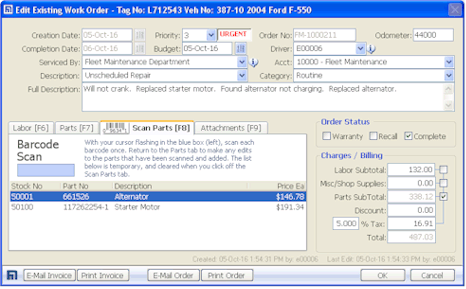
Work Orders
/ Invoices |
| |
Multi-User
U.S., U.K., or Metric Settings
150+ Reports
WYSIWYG Report Viewer
Customer Defined Droplists
40 Customer Defined Fields
Multi-User Security
Import / Export
CSV Data
|
|
|
Work Orders
Barcode Support
Images/Attachments
Integrated E-Mail Features
Warranty Detection
Auto Order Numbering
Auto Tax Calculation
Auto Shop Supplies Fee
|
|
| Preventive Maintenance |
Fuel, Tires,
& Inventory |
| |
Customer Defined PM
Automatic PM Reminders
Track by Usage, Time, or Both
Unlimited PM Tasks
Unlimited PM Templates
On-Screen
Status Gauges
E-Mail Maintenance
Alerts
|
|
|
Fuel Logging
MPG and
Expense Graphs
Tire
Tracking
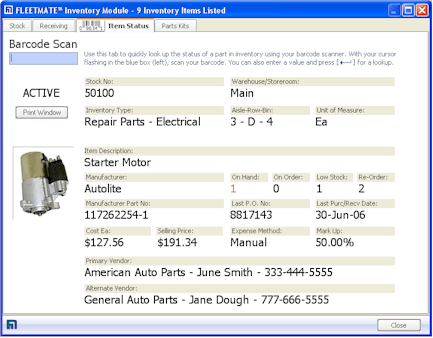
Stock Parts
Inventory
FIFO,
LIFO, or Avg Cost
Barcode Scan
Support
Inventory Parts Kits |
|
| Vendors & Personnel |
Optional Add-Ons |
| |
Employee Driving History
Employee Training History
License/CDL Renewals
Vendor Records
|
|
|
Report Designer
Fuel
Import Manager
|
|
|
|
Comprehensive Data |
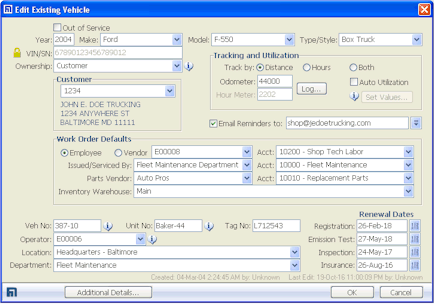
Year, VIN,
Make, Model, Style, Purchase Meter, Current Meter, Default Operator,
Department, Location, Veh No, Unit No, Tag/Plate No, and more.
Extended Topics:
|
- Purchase
- Disposal
- Insurance
- Registration
- Inspection
- Emissions
- Journal and Notes
- Capacities
- Extended Warranty
- Engine/Chassis Specs
|
|
|
| |
|
|
|